Notes thatstay yours.
A simple notes app, encrypted on your device with your own PIN or password. No account, no cloud.
Everything you need, nothing you don’t
Quick to open, calm to write in, and easy to find things again.
Capture instantly
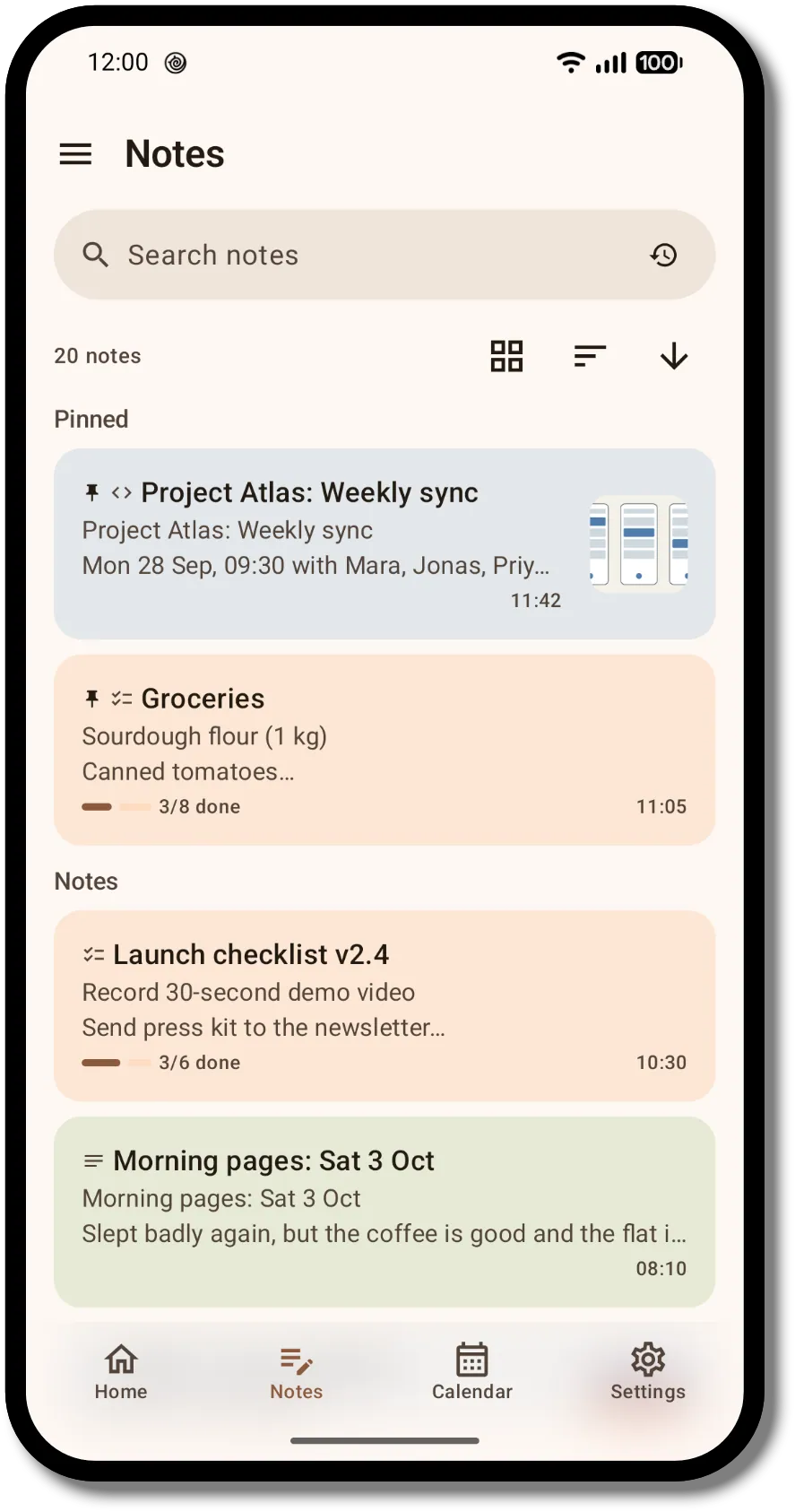
Home opens straight to a blank note. Just start typing. Everything saves automatically as you go.
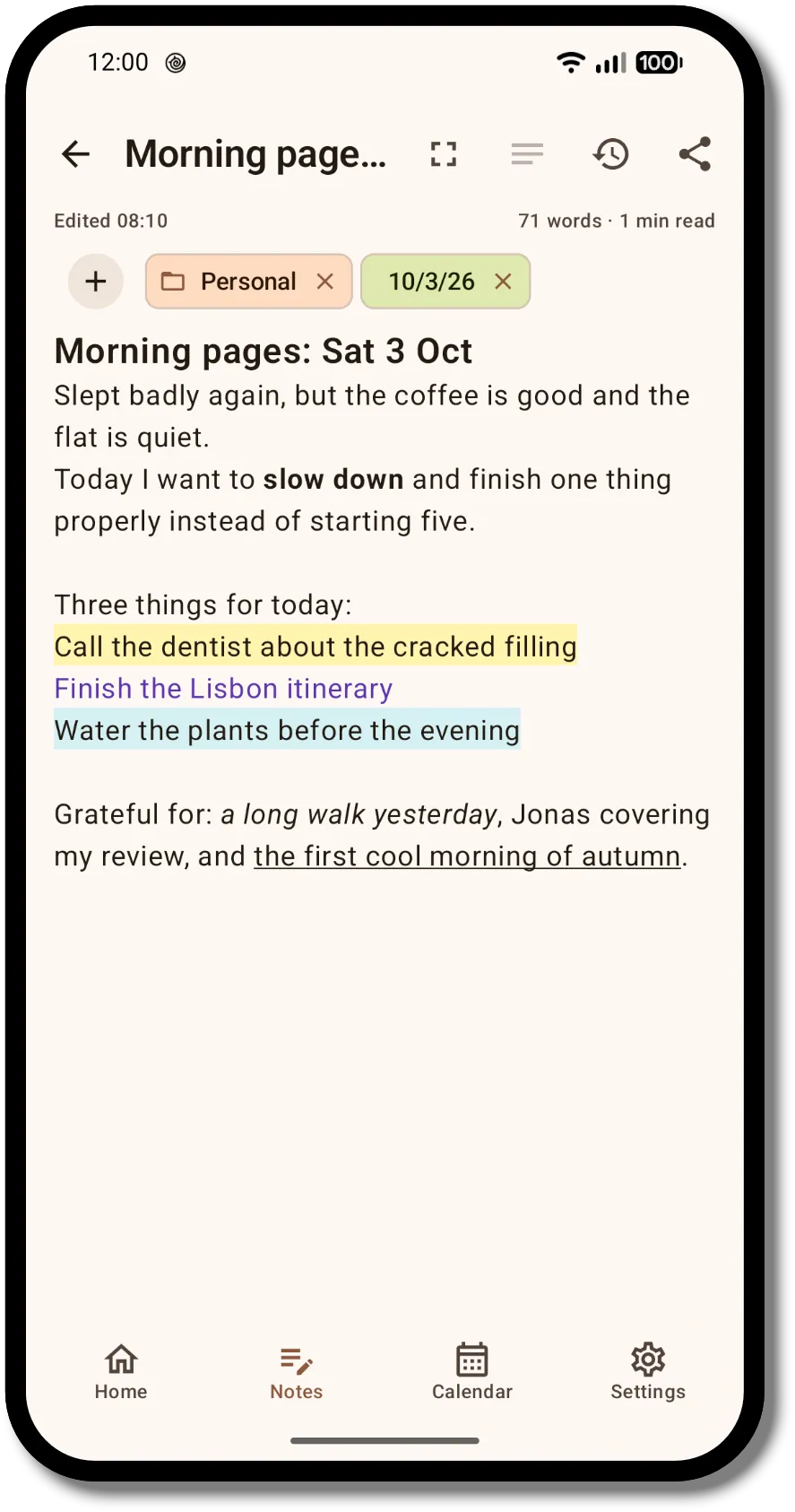
Three kinds of note
Markdown has a live split preview. Switch the type on a blank note.
Organize and find
Folders, color-coded labels, dates and pins keep notes in order. Search, sort, and switch between list and grid. Deleted notes wait 30 days in the trash. Bring notes over from ColorNote, and export to Markdown whenever you like.
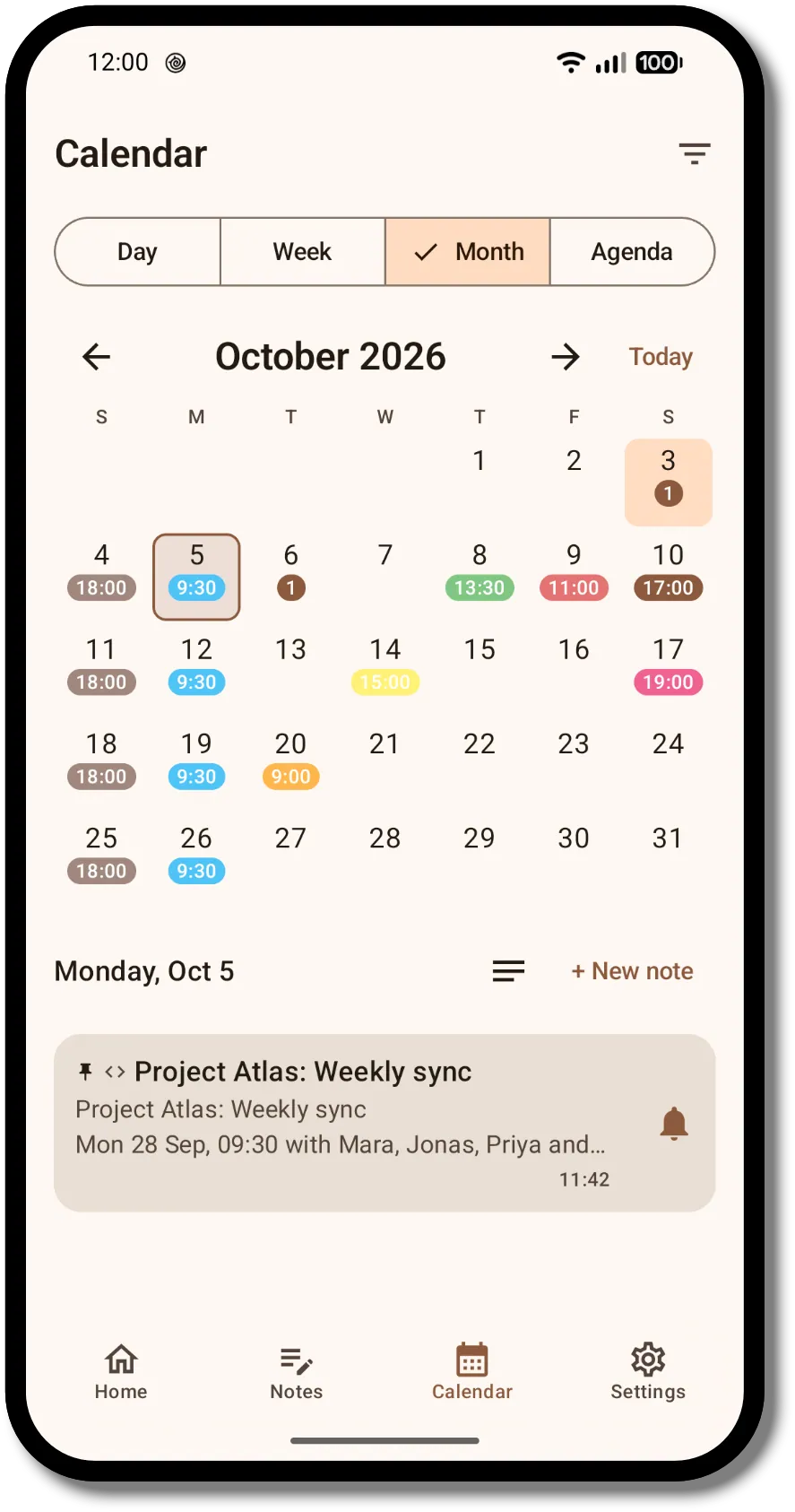
Calendar and reminders
Attach a date to a note and set a one-time reminder, with snooze. Repeating reminders are part of Pro.
Made to look like yours
Paper and Midnight ink are free, with light, dark, AMOLED, system and dynamic color. Pro adds six more themes and custom colors.
- Paper, free
- Midnight ink, free
- Sage, Pro
- Rosé, Pro
- Glacier, Pro
- Twilight, Pro
- Graphite, Pro
- Champagne, Pro
Free, with an optional Pro
The free plan covers everything you need to capture and protect your notes. Pro lifts the limits and adds extras, as a one-time purchase.
What Pro adds
- Unlimited folders and labels
- Unlimited image storage
- Full version history: up to 20 versions per note, with no 7-day limit
- Repeating reminders: daily, weekly, monthly, yearly or custom
- Reminders on individual to-do items
- Six more themes: Sage, Rosé, Glacier, Twilight, Graphite and Champagne
- Text color, highlights and custom colors
- Export to PDF and JSON, one note or all notes
Compare every feature
| Feature | Free | Pro |
|---|---|---|
| Writing | ||
| Plain text, Markdown and to-do notes | Included | Included |
| Unlimited notes, search and pinning | Included | Included |
| Bold, italic, underline, strikethrough and links | Included | Included |
| Text color and highlight in plain-text notes | Not included | Included |
| Custom colors for text, highlights and labels | Not included | Included |
| Share text and images in, import from ColorNote | Included | Included |
| Organizing | ||
| Folders | Up to 5 | Unlimited |
| Labels | Up to 10 | Unlimited |
| Image storage | 250 MB | Unlimited |
| Calendar view, and a trash that clears itself | Included | Included |
| Version history | Last 3 versions from the past 7 days | Up to 20 versions per note, no 7-day limit |
| Reminders | ||
| One-time reminders with snooze | Included | Included |
| Repeating reminders: daily, weekly, monthly, yearly or custom, with weekday selection and an end condition | Not included | Included |
| Reminders on individual to-do items | Not included | Included |
| Privacy and security | ||
| All free: a required PIN or password with an encrypted database, fully offline use with no account or cloud, optional biometric unlock and a configurable auto-lock, and encrypted backup and restore with automatic backups (daily, weekly or monthly). | ||
| Look and export | ||
| Color themes | Paper and Midnight ink | All 8: adds Sage, Rosé, Glacier, Twilight, Graphite and Champagne |
| Display modes: Light, Dark, AMOLED, system and dynamic color | Included | Included |
| Export to Markdown | Included | Included |
| Export to PDF and JSON, one note or all notes | Not included | Included |
Pro is not available yet. It will be a one-time purchase through Google Play, and the price is shown there before you buy.
A look inside
Private by design, not by promise
These are things the app does, not things we ask you to trust us about.
Read the full Privacy Policy and Terms of Use.
Encrypted on your device
Your notes live in an encrypted database. The key is derived from your PIN or password using Argon2id and is never stored for anyone else to use. Images are encrypted separately.
No internet permission
The app does not request internet access, so it has no way to upload your notes. It has no account, ads, analytics or trackers.
No cloud backup
Android’s automatic cloud backup is turned off for this app. Backups only happen when you make them, to a place you pick, and they stay encrypted.
Biometric unlock
Use your fingerprint or face if you like. The key is protected by the Android Keystore and still requires your device authentication.
Guess-resistant
After repeated wrong attempts, the app makes you wait, from a few seconds up to ten minutes, before you can try again.
The honest limits
- No recovery. If you forget your PIN or password, your notes are gone for good. There is no backdoor.
- Exports are not encrypted. Markdown, PDF and JSON files are plain files. Keep them somewhere safe.
- Backups need the original PIN or password. A restored backup uses the PIN or password it was made with.
- Your device matters. Encryption protects your notes at rest. It can’t protect against a phone that is already compromised.
Permissions, and why
| Notifications | To show your reminders. |
|---|---|
| Exact alarms | So a reminder goes off at the exact time you set. Without it, reminders stay off. |
| Run at startup | To set your reminders again after the phone restarts. |
| Biometrics | To let you unlock with a fingerprint or face if you turn it on. |
| Vibration | For haptic feedback. |
Questions
Is it free?
Yes. Everything you need to capture and protect notes is free, including encryption, backups, reminders, the calendar and Markdown export. Pro is an optional one-time purchase that lifts the free limits and adds extras. See the comparison above.
Do I need an account?
No. There is nothing to sign up for, and the app has no way to go online.
What if I forget my PIN or password?
Your notes cannot be recovered. This is deliberate: it is what keeps anyone else, including us, out. If you want a safety net, keep an encrypted backup and remember the PIN or password it was made with.
If I hit a free limit, do I lose anything?
No. You just can’t add more past the limit. Your existing notes, folders, images and backups are never deleted or hidden, and the free plan never locks your encrypted data, your backups or your Markdown export. Older versions of a note reappear if you upgrade.
Are my exports encrypted?
No. Exports are ordinary files, and the app warns you about this. Backups, however, stay encrypted and need your PIN or password to open.
Can I move my notes from another app?
Yes. You can import ColorNote backups, and export your notes to Markdown whenever you like. PDF and JSON export are part of Pro.
Does it sync between devices?
No. There is no sync, by design. To move to a new phone, make a backup and restore it there.
Which Android versions are supported?
Android 9 and newer.
When is it out?
Soon. This site will link to the Google Play page the day it is out.
Coming soon to Google Play
Acyntria Notes is not out yet. This page will link to its Google Play listing the day it is released.